
After installing the app from App Exchange and successfully registering, an error message from Salesforce is displayed after clicking the login button, and entering your Salesforce credentials:
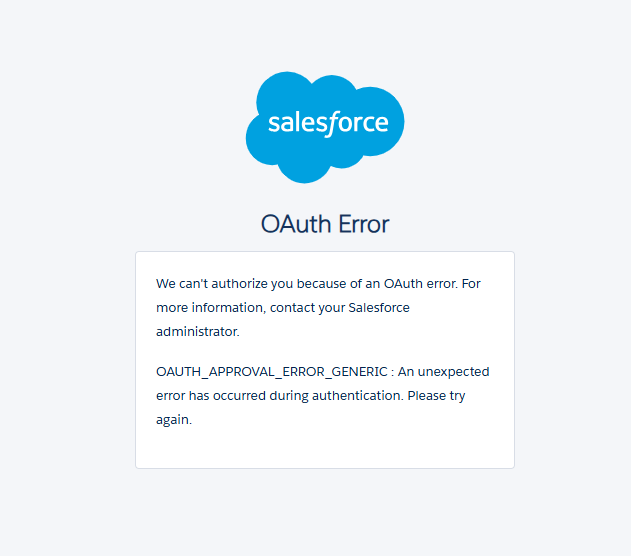

One reason this may be happening is that you have not given access to be able to link SSO with Chimpegration and Salesforce.
Give access to be able to use SSO
Click the cog in the upper right corner
Click Setup
On the left hand side menu, under Platform Tools, expand the Apps option
Then expand the Connected Apps option
Click Connected Apps OAuth Usage
You should see a connected app called Chimpegration_SSO or Chimpegration_SSO_Staging
Click Install
Then click Install on the next page
You can now close it and log into Chimpegration for Salesforce
This step only needs to be done once, and is then available for all users
I see a security warning when logging into Chimpegration for Salesforce
When first logging in using SSO, the user will be prompted by Salesforce to allow access. Without this access, the SSO and API calls cannot be made.
Click Allow at the bottom of the screen to allow access.
This only needs to be completed once, and can be revoked at any time in Salesforce